A job queue for coding agents
Your GitHub issues, worked on your machines.
hopper takes the issues you choose, runs each one on a computer you trust, and keeps you in the loop.
Install it on Linux, or on Windows inside WSL, with one line:
curl -fsSL https://henningfutrell.github.io/hopper/install.sh | bash
Recommended: the published image with Podman. The install guide takes you from nothing to a first finished job.

How it works
Three steps, and you only do two.
Label an issue
Give a GitHub issue the hopper label: it is a job now.
It runs on your machine
A coding agent works on it, on a machine of yours, inside its usage budget.
Review the pull request
The work comes back as a pull request. A question it cannot answer comes to you.
A look around
One daemon, one database, and a UI that works from your phone.
Everything the hopper keeps is in its Postgres database, and every setting is edited in the UI. No config files, and secrets only from its environment.
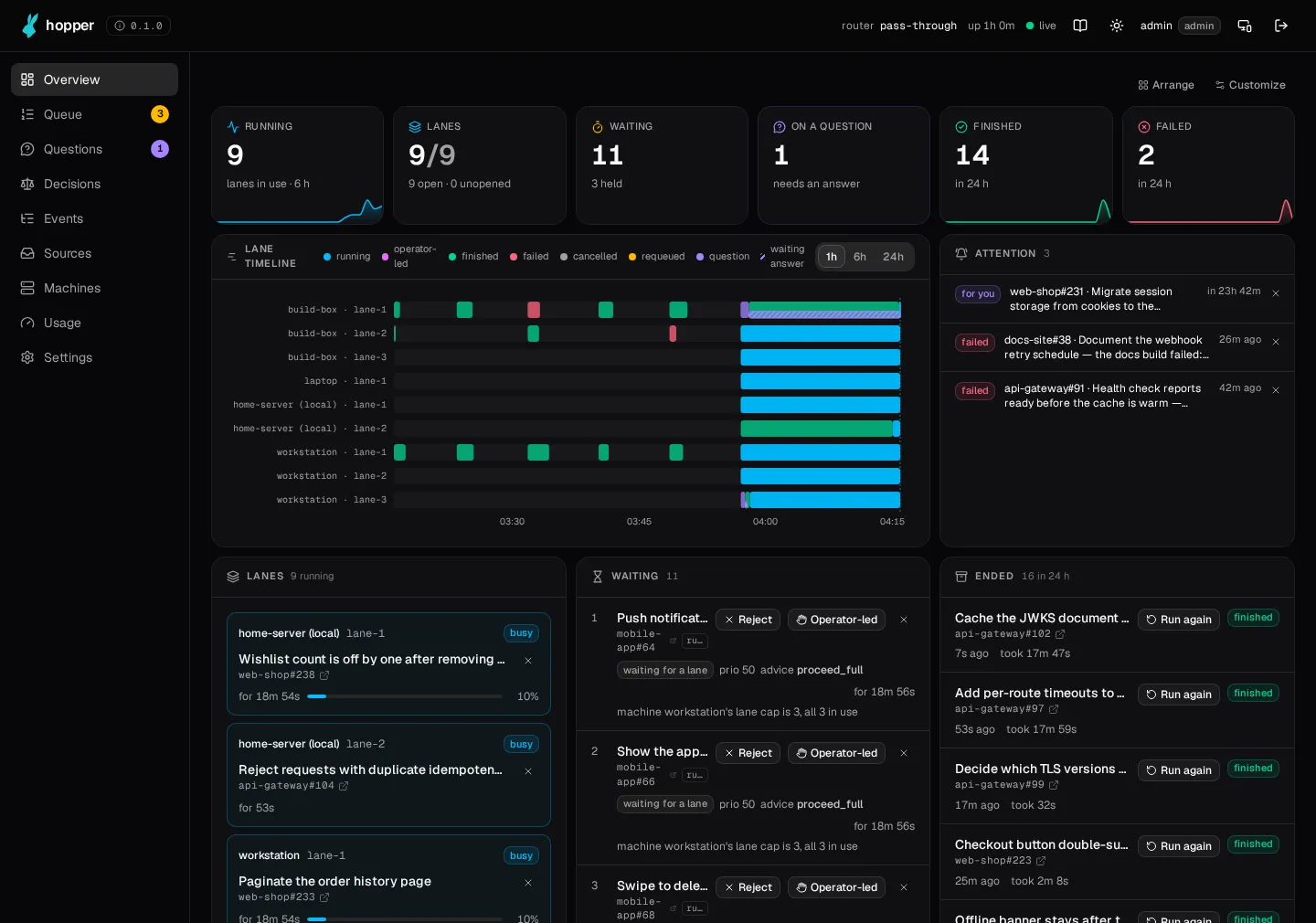
The queue and its lanes
Every job waiting, held or running, in the order the hopper takes them. Each lane shows what a machine is doing now.
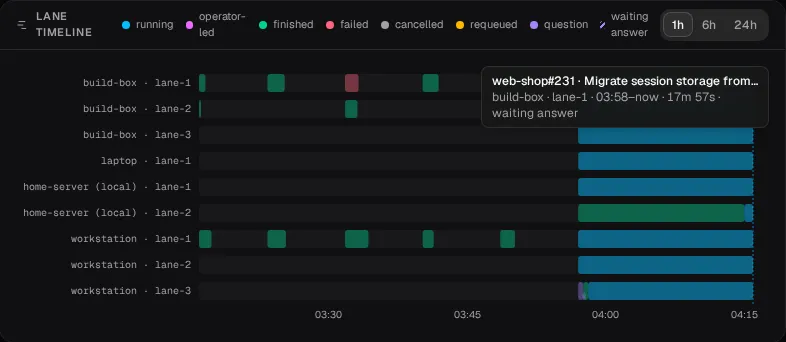
Follow every job as it works
The lane timeline shows what each lane ran, how each run ended, and where a job waited on a question.
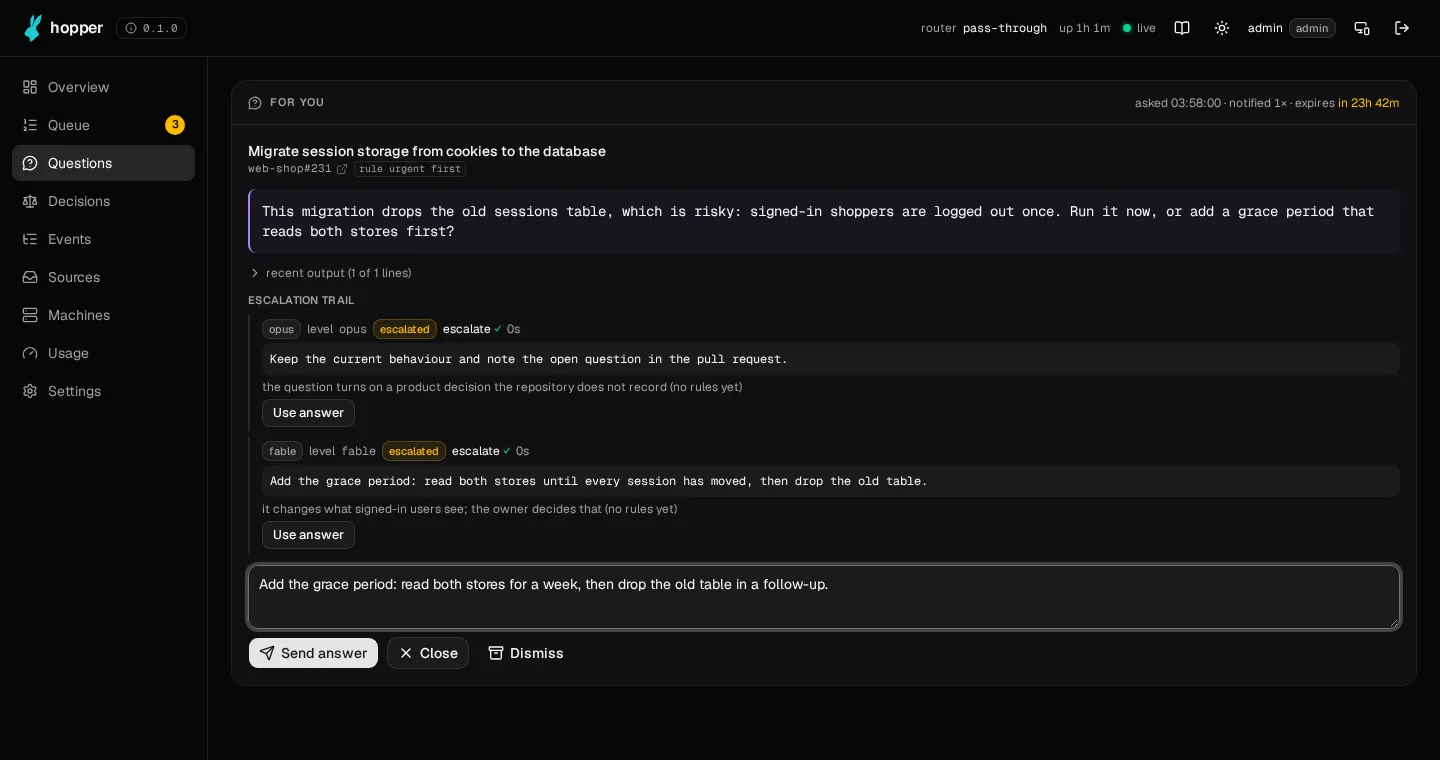
Questions come to you
A job's question climbs the escalation levels. Only the ones nothing else can answer wait for you, on any screen, your phone too.
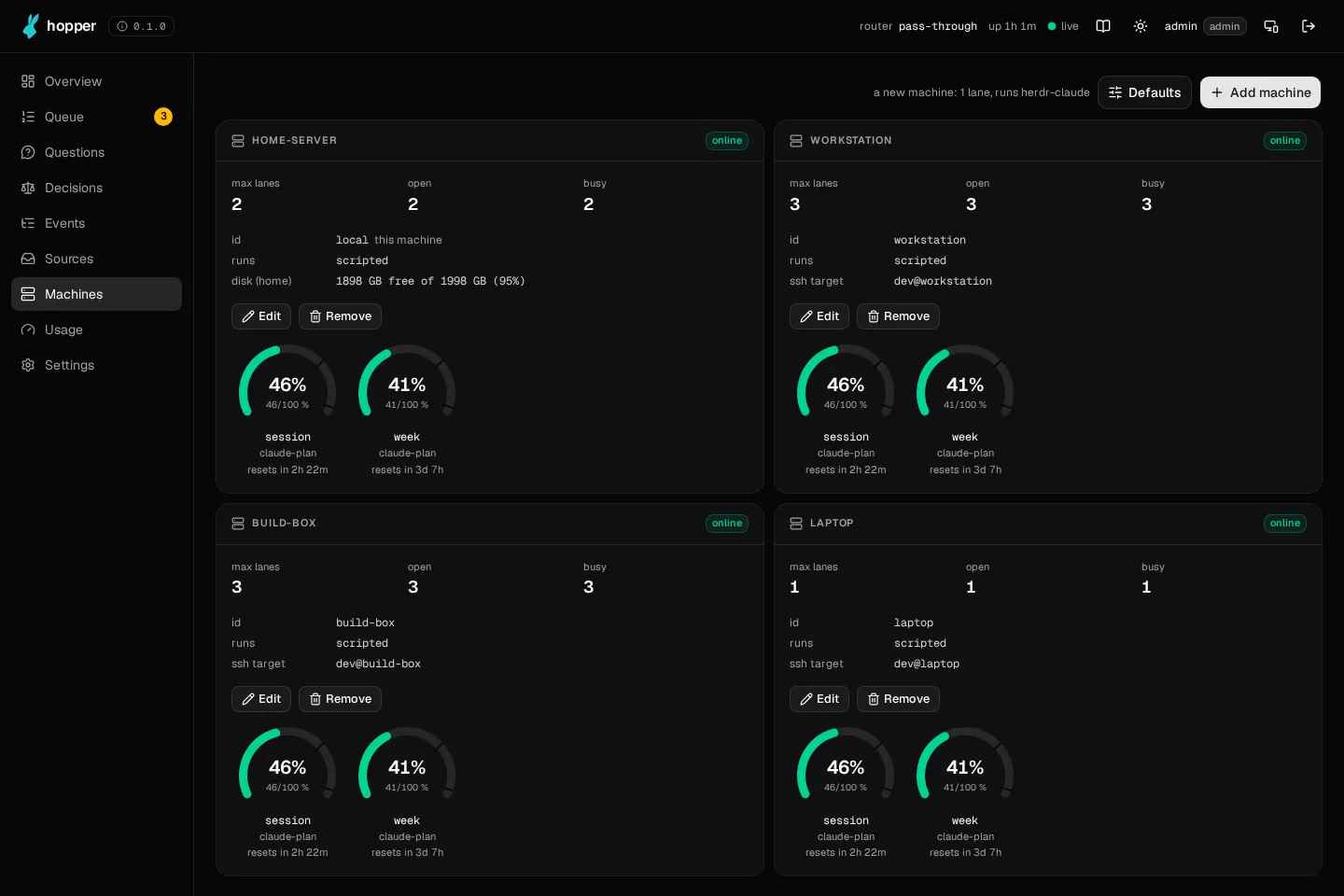
Your machines, inside their budgets
Add the computers jobs run on. Live usage shows how much of each budget is left, and the hopper keeps every machine inside it.
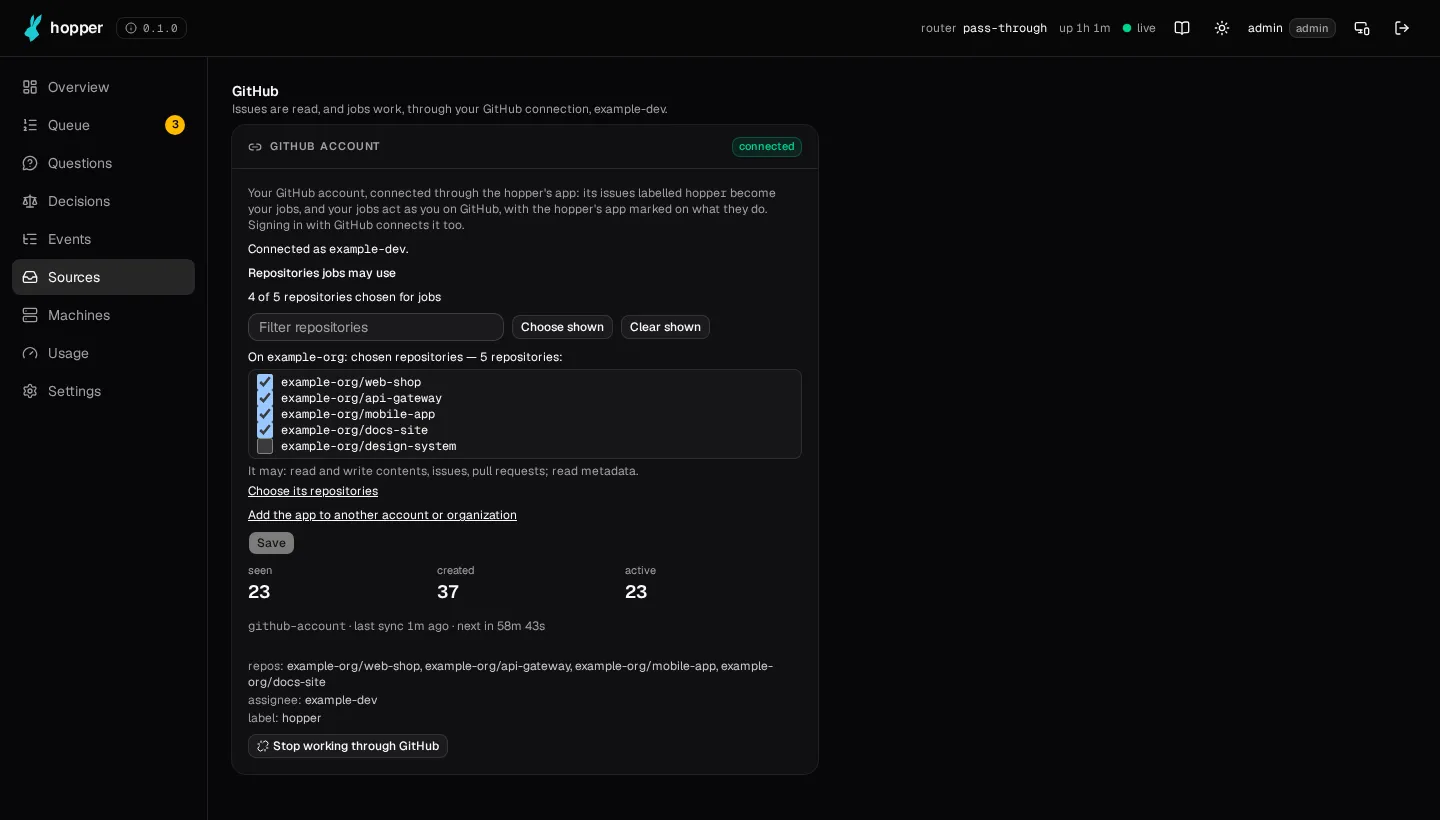
You choose what becomes a job
Sign in with GitHub, tick the repositories, and label an issue hopper. Nothing else can give the hopper work.
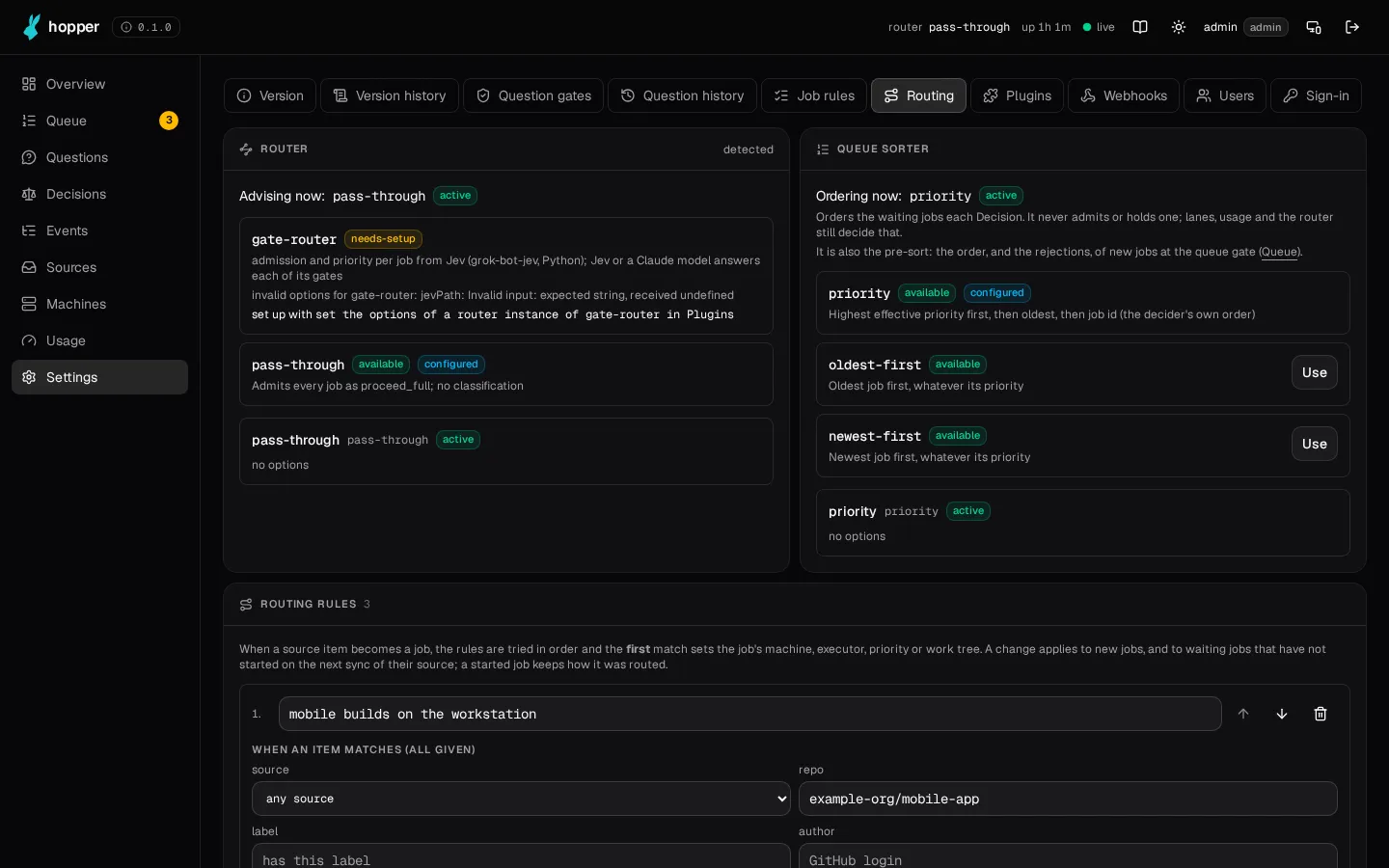
Every part is a plugin
Routing rules, job rules and plugins, all edited in the UI. Install more from the plugin store.
Read more
- Install guideFrom nothing to a first finished job, with Podman or on the machine itself.
- READMEWhat the hopper is, getting started, machines, routing and the API.
- DeployingEvery install path in detail: containers, reverse proxy, secrets.
- Sign-inGitHub, OIDC, SAML, LDAP or a gateway, and who signs in as whom.
- PluginsEvery part is a plugin: write your own, or install one from the store.
- What's newWhat changed, in plain words.